PATH OF EXILE · CAMPAIGN COMPANION

Level through the campaign without alt-tabbing your brain.

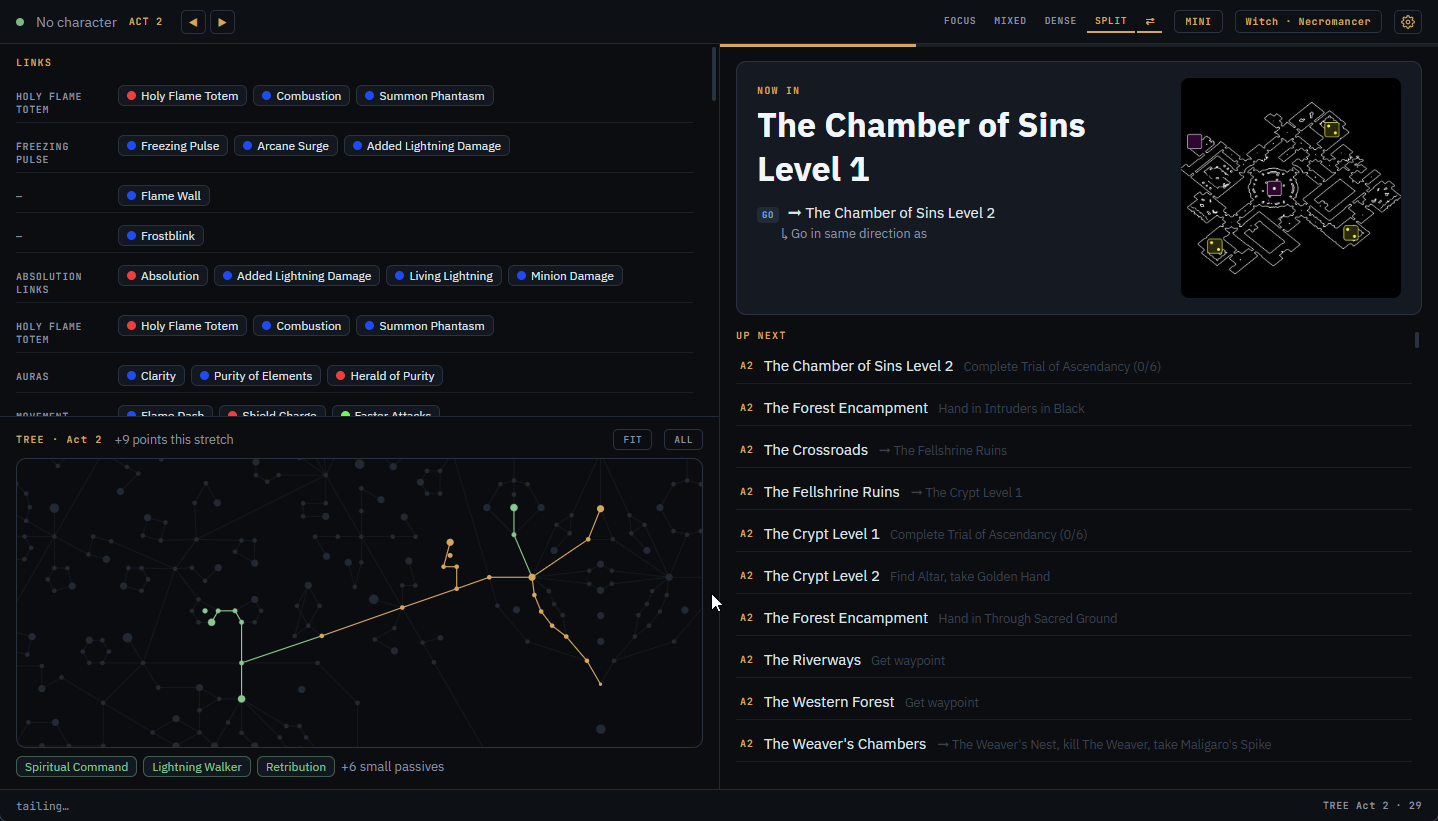
Piety follows your Client.txt zone by zone: next route steps, gems to buy, tree progression from your PoB build, and act splits against your personal best.

Download for Windows Linux AppImage
MIT license · free & open source
Piety main window: route steps, gem links, passive tree, and zone map
FEATURES
ROUTE
Zone-by-zone route guide
Proven leveling routes for acts 1–10 with kill, quest, waypoint, and portal steps plus layout hints. Duplicate and edit your own custom routes with live validation.
TRACKING
Follows you automatically
Tails Client.txt to know where you are. Read only, no game files touched, no injection. Explicitly allowed by GGG.
MAPS
Zone layout maps
Layouts from Exile-UI shown beside your steps, labeled EXACT or SAMPLE. Cycle through known layouts to match your minimap.
GEMS
Gem shopping list
Built from your Path of Building import: what to buy, from which vendor, after which quest, for your class. Freebies are marked as granted.
TREE
Passive tree progression
Rendered on the real skill tree: what you should have allocated by now and where the next points go, straight from your PoB tree specs.
PACE
Pace timer & splits
Per-act and per-zone splits against your personal best, death counters, run history, and a projected campaign finish. Starts and stops automatically.
POB SYNC
Live Path of Building sync
Link a build from your local PoB saves and every save updates the app. Export codes and pobb.in links work too.
LAB
Trial & lab tracking
Trials of Ascendancy check off automatically. Once enough are banked, a lab reminder sticks around until you dismiss it.
PROFILES
Per-character profiles
Route position, gem checklist, and trial progress are saved per character and switch automatically as you play.
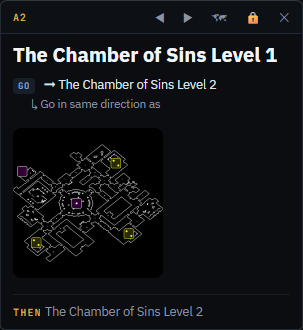
SINGLE MONITOR?

A compact overlay that stays out of the way.

A small always-on-top window with the current zone, steps, layout map, and gem reminders. Lockable so you can't drag it by accident. No hooks, no injection. It just sits over the game.

Piety compact overlay window
LATEST RELEASE
Windows
Piety-Setup-*.exe
Download installer
SmartScreen may warn about an unknown publisher since the build is unsigned for now.
Linux
Piety-*.AppImage
Download AppImage
chmod +x and run. Steam/Proton installs are detected automatically.
Latest
MIT license
All releases →
Auto-updates keep you current after the first install.
GETTING STARTED
1
Download & run
Grab the latest installer from Releases. Windows SmartScreen may warn about an unknown publisher; the build is unsigned for now.
2
Run the setup wizard
Locate Client.txt (usually found automatically, including Steam libraries), import your PoB build or skip for a guide-only setup, and pick league start or twink routing.
3
Play
The guide follows you as you enter zones. Route steps, gems, tree, and splits update on their own.
Using the overlay on top of the game? Run PoE in Windowed Fullscreen. Exclusive fullscreen draws over everything.
DATA SOURCES & THANKS

Routes, layouts, tree data, and build parsing all come from these community projects.